Understand your learning progress
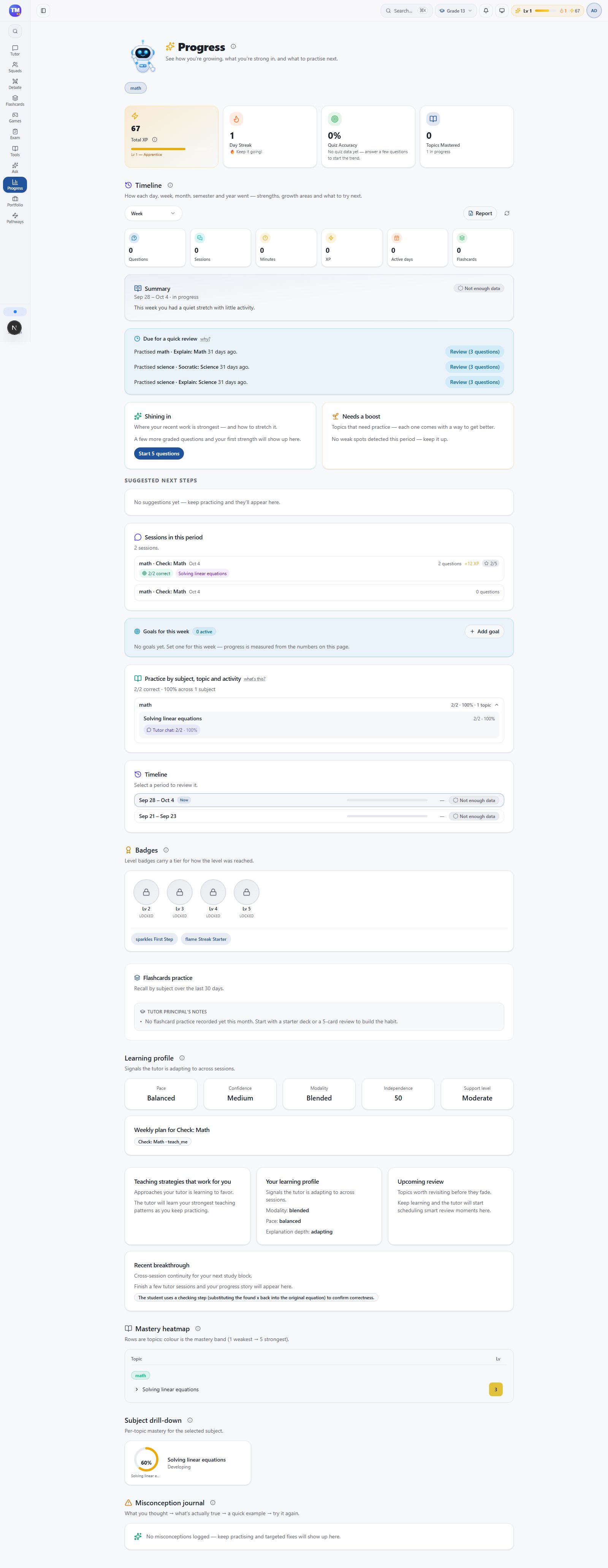
Progress brings together learning activity and achievement signals. Open Progress from the student workspace.
Look for a useful next step
Section titled “Look for a useful next step”Review recent activity, topics, and any mastery or achievement information shown. Identify one topic that needs another attempt, then return to the tutor or a practice tool.
XP, badges, and streaks can recognize activity. They are not the same as understanding a concept. Test understanding by explaining an idea or solving a similar question without help.
Review together
Section titled “Review together”Parents and teachers see information permitted by their links and account access. When reviewing with a learner, ask What can you do now that was difficult before? and What would you like to try next?
If expected activity is missing, confirm the account and session first. Allow the page to finish loading before retrying.
Next: Parent overview.