Read learner-twin evidence and predictions
Learner Twin brings learning evidence, support signals, momentum, predictions, goals, and a competency wallet into one view. Open the available learner-twin link from Progress or your profile.
Read the dashboard in order
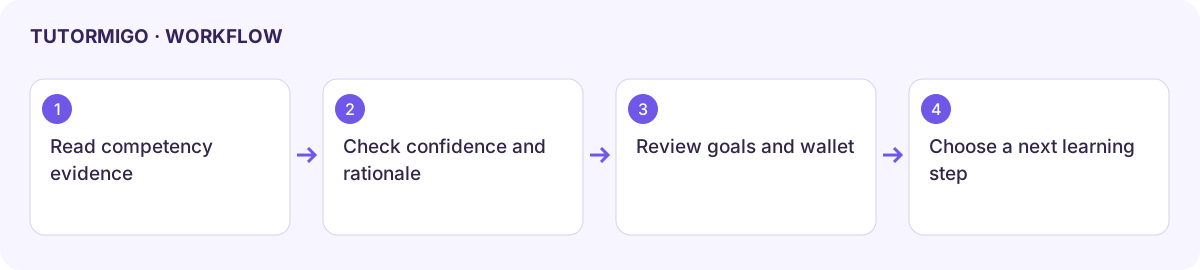
Section titled “Read the dashboard in order”- Inspect Competency: mastery score, quiz accuracy, and mastery topics.
- Read Support: confidence band and support level. These describe the available learning evidence, not a medical assessment.
- Inspect Momentum alongside XP and streak, then compare it with actual practice history.
- Read each Prediction label, confidence band, and rationale. A prediction is a signal to review, not an established outcome.
- Review Goals And Wallet for current goal status and recorded evidence. Open a related learning activity to work on an identified gap.
Understand missing evidence
Section titled “Understand missing evidence”No predictions yet, No goals yet, or an absent rationale can mean the system has insufficient evidence. Do not treat missing data as proof of low ability. Continue meaningful practice and review the source activity before interpreting a change.
Teacher and parent views are scoped to the students or children they may access. Teachers can review support recommendations through Copilot and interventions. Parents can use child reports.
Open Pathways leads to advisory next steps when that feature is enabled. Portfolio and Pathways are marked as non-production in the reviewed navigation, so availability must be confirmed for the deployment.
Workflow at a glance
Section titled “Workflow at a glance”